Know what’s ready to move.
See on-hand stock and transfers awaiting receipt.

Built for fireworks businesses
Your warehouse. Your stands.
Your season. All together.
Bring stock, sales, and daily operations into one company workspace—so your team can see what’s moving and what needs attention.
A focused web app for the work behind every fireworks season.
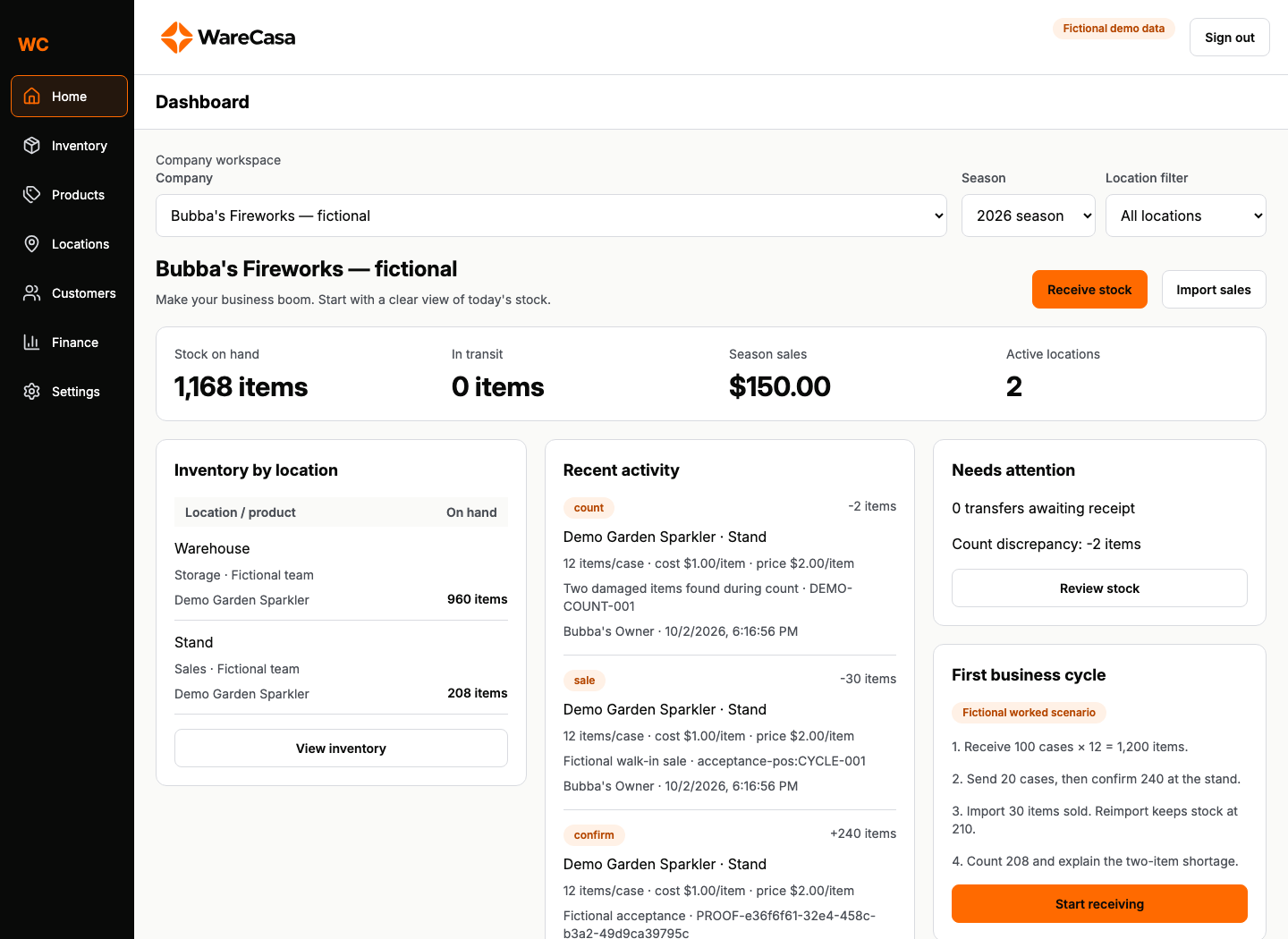
See on-hand stock and transfers awaiting receipt.
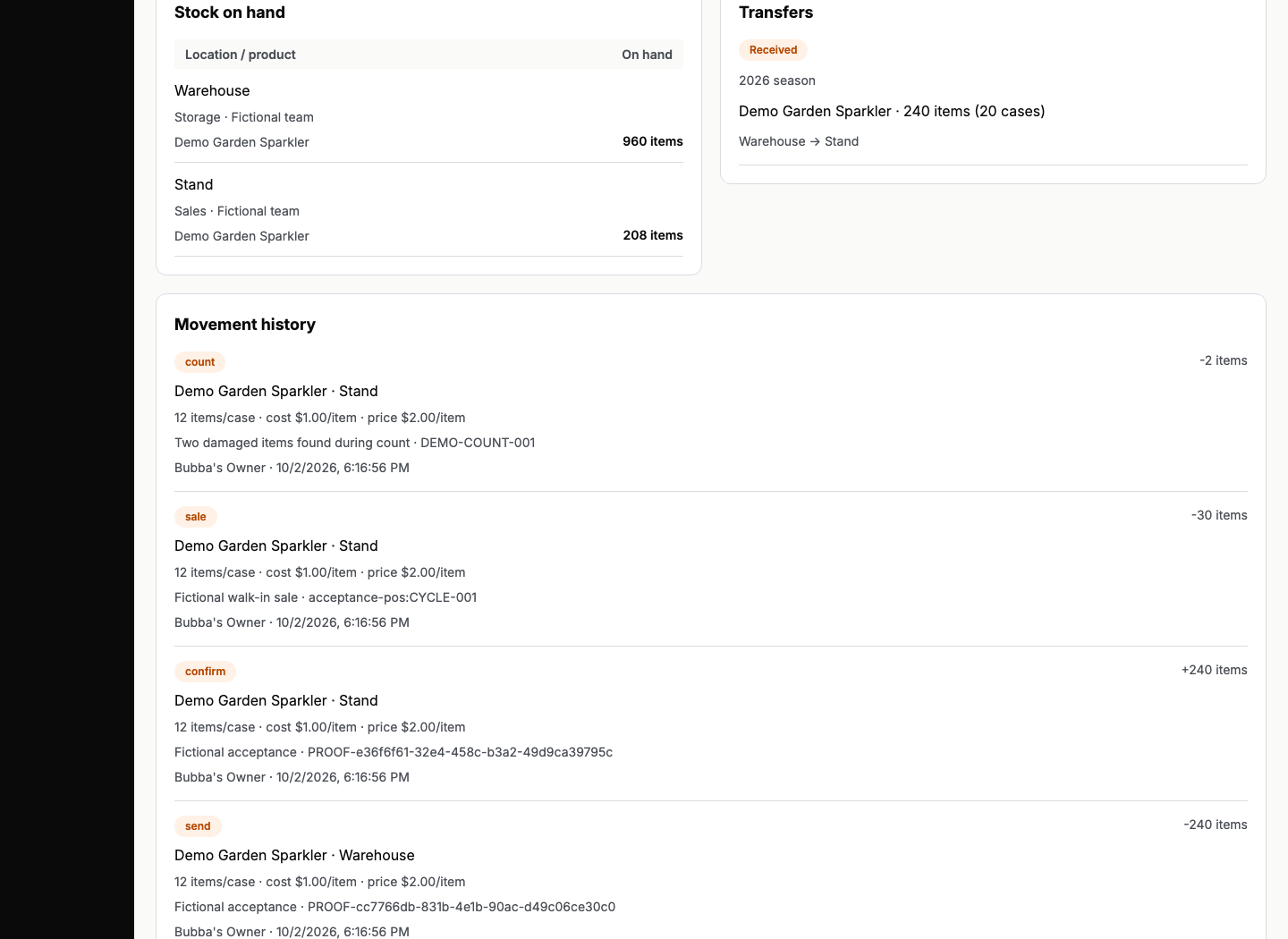
Confirm stock arrivals and explain the end-of-day count.
Switch between location views and company totals.
01 / Your business, together
From a case arriving at the warehouse to the last count at a stand, keep the work connected.
01 / Inventory
Receive by case or item. Follow transfers, confirm deliveries, and explain differences when you count.
02 / Products
Give each item a SKU and an explicit case conversion. Keep seasonal listings without rewriting past activity.
03 / Locations
Organize warehouses, selling stands, and sites that do both. Filter your workspace by location and season.
04 / Customers
Keep customer records and link sales or returns when useful. Anonymous walk-in sales work, too.
05 / Finance
Review imported sales, refunds, receiving costs, and count discrepancies in one company workspace.
Available today in the web app: inventory movements, catalogs, locations, customer records, and CSV sales imports. Direct POS connections and complete accounting are outside the current release.
02 / From receipt to reconciliation
One continuous trail for the stock you receive, move, sell, and count.
Start with the right quantity.
Enter cases or items with a source and reason. WareCasa keeps a common item count.
100 cases → 1,200 items
Follow stock to the stand.
Send merchandise, see what’s in transit, then confirm receipt at the destination.
20 cases → 240 items delivered
Bring sales into the picture.
Preview a CSV, resolve product mappings, and commit reviewed rows. Reimporting the same sale won’t subtract stock twice.
30 items sold → 210 at the stand
Make the count explainable.
Record the physical count and a reason for the difference. Keep the adjustment alongside the movement history.
208 counted → 2-item shortage
Fictional worked example · 960 warehouse items + 208 stand items = 1,168 on hand.
03 / Less guesswork
Preview sales before they affect inventory. Keep a record of what changed, who acted, and why.
Your next season starts here
Show us how your warehouse and stands work. We’ll walk you through WareCasa.